myenergi eddi: see solar hot water in the whole-home picture
See how myenergi eddi hot-water diversion fits beside solar, battery, grid and EV demand, with source-aware reporting and safe boost boundaries.
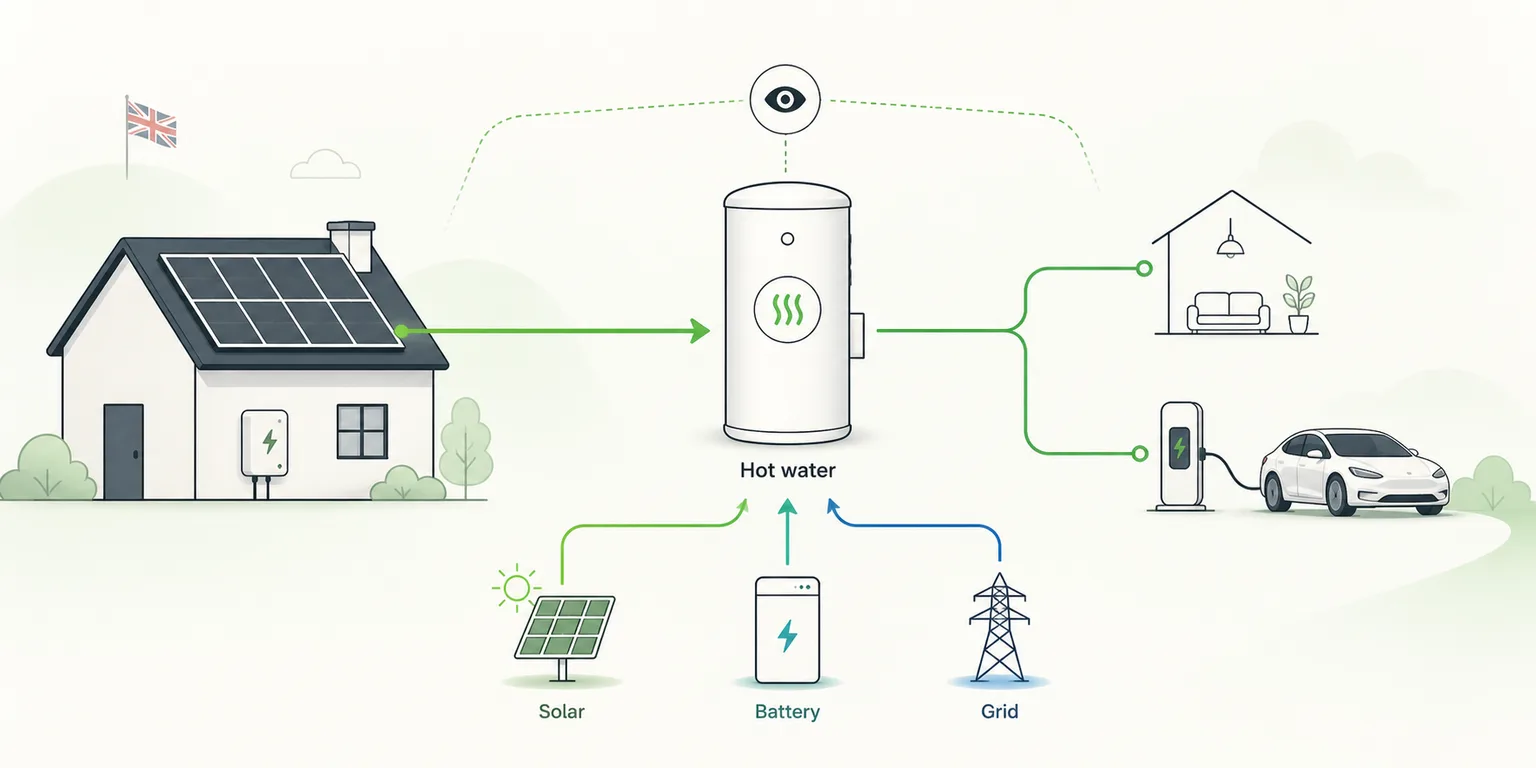
A myenergi eddi can turn spare solar generation into useful hot water. The difficult part is often not making the diversion happen. It is understanding what happened across the whole home.
How much energy reached the immersion heater? Was it genuinely spare solar, or did the battery discharge at the same time? Did a manual boost use grid electricity? What changed when the zappi started charging the car?
Those questions sit across several devices and screens. 1app.energy brings supported eddi monitoring into the same home-energy view as solar, battery, grid, household and EV demand.
The quick version
- eddi hot-water energy should be shown separately from normal household demand and EV charging.
- A daily eddi total is more useful when the available solar, battery and grid contributions are visible too.
- zappi and eddi can share one myenergi account, but they have different jobs and should remain separate in reporting.
- Connecting eddi for monitoring does not automatically enable control.
- A manual heater-1 boost is available only for separately enabled installations, for 15, 30 or 60 minutes, with fresh eddi status used to confirm the result.
- Schedules, heater 2, relays and automatic eddi optimisation remain in myenergi.
What does myenergi eddi do?
eddi is a solar power diverter. When the home has surplus generation that would otherwise be exported, eddi can direct suitable power towards an immersion heater or another supported resistive load.
That can turn daytime solar into stored hot water for later use. The cylinder becomes another way to retain useful energy in the home, alongside a battery.
The two forms of storage are not interchangeable. A battery can later supply many electrical loads. Hot water serves a narrower purpose, but can be a practical destination for solar once immediate household demand and battery priorities are considered.
myenergi remains the primary place for commissioning eddi, configuring its operating behaviour and managing native device settings.
Why eddi can disappear inside home energy data
Many energy views start with a single number for household consumption. If eddi is included inside that number, a sunny afternoon can look like an unexplained rise in home demand.
That makes it harder to answer basic questions:
- Was the extra demand useful hot-water diversion?
- How much energy did eddi use today?
- Did the solar panels cover that energy?
- Did the home battery discharge into the immersion heater?
- Did grid import rise during a boost?
The same problem appears in homes with a zappi. Both devices may use the same myenergi gateway and account, but EV charging and hot-water diversion are different loads. Combining them would make both reports less useful.
What source-aware hot-water reporting adds
1app.energy can show supported eddi power and daily hot-water energy separately from the rest of the home.
Where the connected measurements provide enough evidence, the report can also show the available source mix behind that energy:
- solar sent towards eddi;
- battery energy discharged while eddi was consuming;
- grid import associated with eddi demand.
This does not change how eddi diverts energy. It makes the result easier to understand beside the inverter, battery, tariff and other large loads.
For example, a homeowner may see strong eddi diversion on a bright afternoon and assume all of it was spare solar. A whole-home view may confirm that result, or show that the battery was also discharging during part of the period. That difference matters when the goal is to protect evening battery reserve.
How same-account eddi discovery works
zappi and eddi often sit under the same original myenergi account and gateway.
When supported myenergi credentials are verified, 1app.energy can check that account for an eddi as well as a zappi. If one eddi is available, it can be associated with the home as a separate hot-water device. If the account exposes more than one, the customer must choose the correct unit. If none is present, the zappi connection continues without inventing an eddi device.
The separation is important:
- zappi belongs to the EV charging view;
- eddi belongs to the hot-water view;
- the shared account does not make them the same device or load.
See the updated myenergi API-key guide for the account and gateway steps.
What the manual eddi boost boundary means
myenergi explains that a manual boost can start heating immediately, may use grid electricity and can end early when the cylinder reaches its maximum temperature. The native behaviour is described in myenergi's eddi boost guidance.
1app.energy keeps its supported control surface deliberately narrow.
Where the installation has been separately enabled, the customer can request a heater-1 boost for 15, 30 or 60 minutes. Fresh provider status is checked before the action, and a later eddi status read is used to confirm whether the boost became active or ended normally.
Connecting eddi for monitoring does not turn this feature on. The following remain outside the supported 1app.energy control boundary:
- automatic eddi optimisation;
- eddi schedules;
- heater 2;
- relay control;
- general operating-mode changes.
If the tank is already hot, eddi can end the requested boost without continuing to heat. That is normal thermostat behaviour, not evidence that more energy should be forced into the cylinder.
Where eddi fits in a solar, battery and EV home
The useful question is not whether eddi, the battery or the EV should always come first. The answer depends on the household goal, current solar generation, hot-water need, battery reserve, tariff and vehicle plans.
The role of 1app.energy is to make those interactions visible in one supported home-level view. It can help a customer see:
- when eddi used surplus solar;
- when hot-water demand overlapped with battery discharge;
- when a zappi session changed the available surplus;
- whether grid import increased during a manual boost;
- how eddi contributed to the day's total energy picture.
That evidence gives the homeowner a better basis for adjusting native myenergi settings or reviewing the wider battery and tariff strategy.
Common questions
Does 1app.energy replace the myenergi app?
No. Keep myenergi for commissioning, schedules, complete device settings and manufacturer support. 1app.energy adds supported whole-home monitoring and reporting.
Can one myenergi API key cover zappi and eddi?
The supported connection starts from the original myenergi account and its gateway credentials. 1app.energy can discover a supported eddi on the same account while keeping it separate from zappi in the product.
Does eddi monitoring enable manual boost?
No. Monitoring can remain the only enabled scope. Manual heater-1 boost is limited to installations where that specific control has been separately enabled.
Can 1app.energy schedule eddi automatically?
No. eddi schedules and automatic eddi optimisation are not part of the supported control surface. Use myenergi for those settings.
Can an eddi boost use grid electricity?
Yes. A manual boost may draw from the grid when there is not enough surplus solar. Check the whole-home flow and current tariff before using a boost.
Related reading
- Why solar dashboard numbers do not always add up
- How to identify the source of truth in a home-energy dashboard
- zappi CT mapping for solar and battery homes
- How much solar energy UK homes can lose to EV conflicts
Final thought
eddi is more valuable when its hot-water contribution is understandable. Separating the diverter from household and EV demand, then showing the available energy sources behind it, turns an isolated device reading into a clearer whole-home result.
Explore the myenergi eddi integration, see the solar hot-water use case, or visit 1app.energy to start early-access onboarding.
Does this sound like your home?
Your setup might already qualify.
Choose your inverter to start. Supported homes create an account straight away; other setups join the compatibility list.