Honest comparison for whole-home guide homes

Native energy apps vs 1app.energy: use each for what it does best

Native apps are best for setting up and managing individual devices. 1app.energy gives you one daily view of how supported solar, battery, EV and tariff data work together.

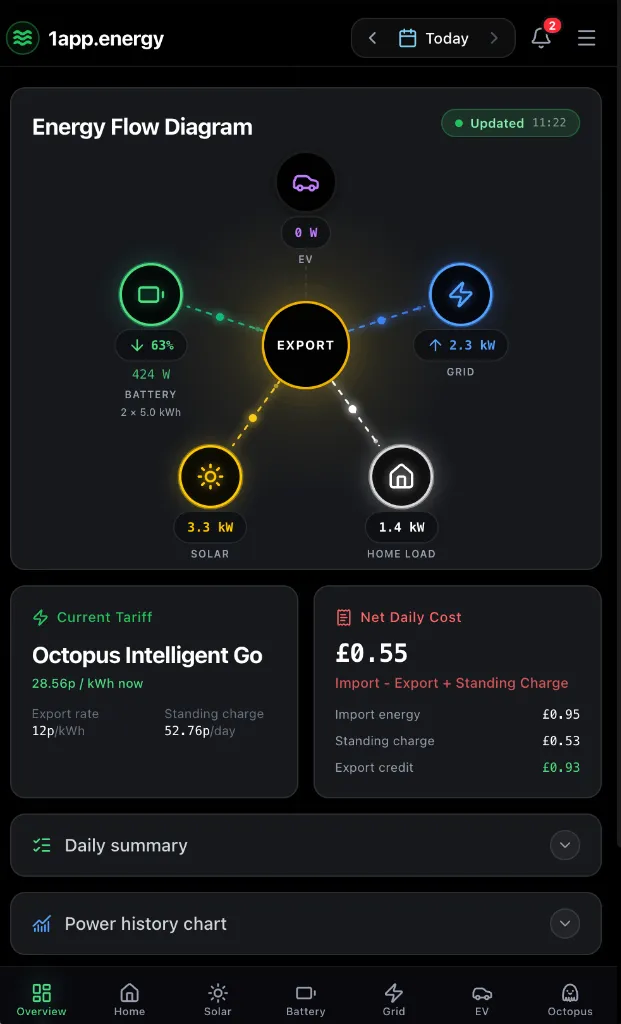
1app.energy mobile dashboard showing whole-home energy flow
The 1app.energy view depends on connected devices, available measurements and the selected date.

The quick answer

Use both, but give each app the right job.

Keep native apps for setup, firmware, faults, warranty support and specialist controls. Use 1app.energy day to day to understand where energy went, review daily cost and see whether the battery, EV charger and tariff worked well together. Optional Smart Control is available only on supported, verified setups where it is customer-enabled.

Choose by task

Where each app earns its place

Best for

Use native energy apps for

Device setup and maintenance

Manufacturers know their own commissioning steps, firmware, permissions, alarms and support processes.

Specialist controls

Native apps remain the complete source for device-specific modes, targets, schedules and technical settings.

Manufacturer support

Warranty cases and hardware diagnostics should stay connected to the manufacturer account and its technical records.

1app.energy logo

Best for

Use 1app.energy for

The whole home in one view

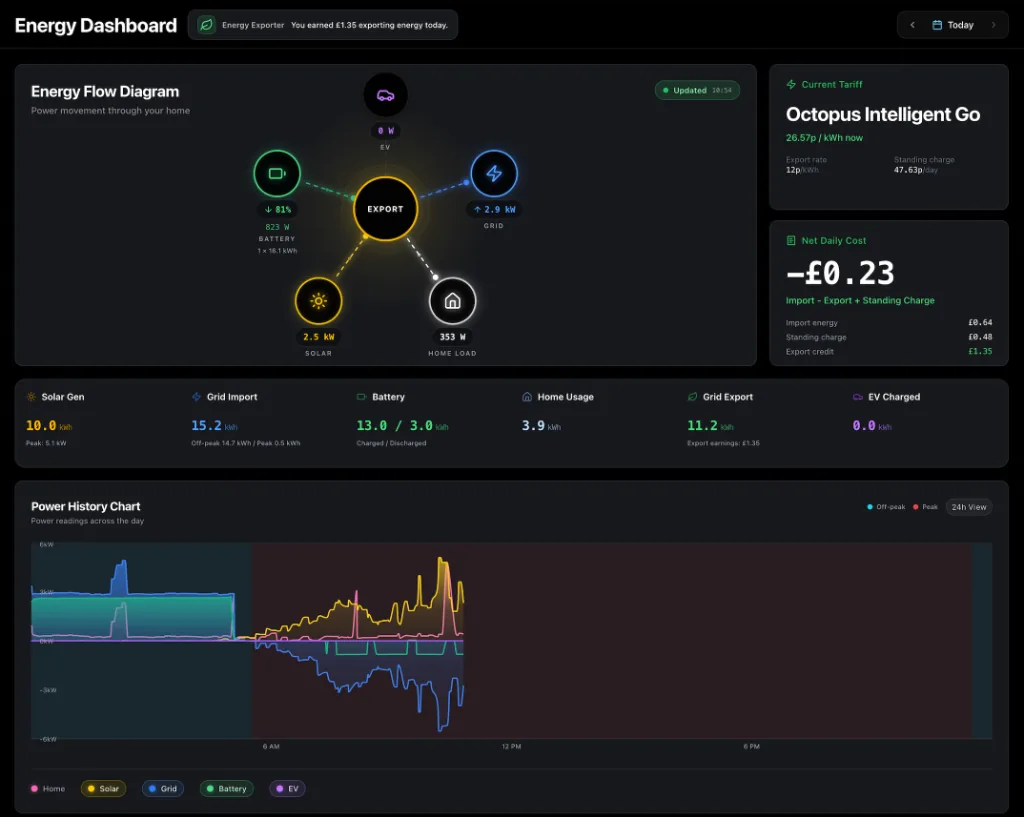
Bring supported solar, battery, EV, grid and tariff data together so one device is not judged in isolation.

Understand the day, not just the device

Review self-sufficiency, where energy went, import cost, standing charge, export credit and net daily cost where measurements support it.

Help the battery and EV work together

On supported, verified setups where control is customer-enabled, 1app.energy can help reduce clashes between EV charging, battery reserve and tariff timing.

Capability by capability

A comparison without false checkmarks

The useful question is not which app has more features. It is which app is better suited to the job in front of you.

Commission a new device

native energy apps
Use the manufacturer app. It owns the supported setup path and device-specific requirements.
1app.energy logo1app.energy
Connect after setup when the device and account are supported by 1app.energy.

Firmware, alarms and warranty support

native energy apps
Primary source for manufacturer diagnostics, firmware and technical support records.
1app.energy logo1app.energy
Not a replacement for manufacturer support or warranty processes.

Specialist device controls

native energy apps
The complete workflow for model-specific modes, schedules, targets and settings.
1app.energy logo1app.energy
Selected controls only on supported, verified setups where they are customer-enabled. Native apps remain available for the full detail.

Understand the whole home

native energy apps
Strongest inside the manufacturer ecosystem and the measurements configured for it.
1app.energy logo1app.energy
Supported inverter, battery, EV, grid and tariff data in one home-level view.

Explain daily cost

native energy apps
Capabilities vary by vendor, connected devices and configured tariff information.
1app.energy logo1app.energy
Import cost, standing charge, export credit and net daily cost where the required measurements are available.

Find device conflicts

native energy apps
Each app is designed around its own equipment and connected ecosystem.
1app.energy logo1app.energy
Use shared home data to see when EV charging, battery reserve and tariff timing work against each other.

Automate around tariffs

native energy apps
Use native tariff, schedule and mode features offered for the specific device.
1app.energy logo1app.energy
Optional tariff-aware battery and EV behaviour on supported, verified systems where the customer enables it.

Real decisions

Which app should you open?

A device reports an alarm

Start with the native app. It has the manufacturer fault information needed for technical support.

The bill changed and you do not know why

Use 1app.energy to review the supported home, EV, battery, grid and tariff data together for that date.

You want fewer apps without losing control

Use 1app.energy as the daily whole-home view, but keep native apps installed for setup, specialist controls and manufacturer support.

What to know first

Honest limits matter

Compatibility, data quality and control readiness depend on the equipment and account connected to the home.

  • 1app.energy works with supported devices and data sources. It does not claim universal compatibility.
  • Monitoring and control availability can differ by model, firmware, account permissions and the measurements available in the home.
  • Automation is optional and available only on supported, verified setups with explicit customer consent.
  • Incomplete or delayed source data can limit the whole-home picture. 1app.energy labels those gaps rather than inventing values.

Common questions

Straight answers before you choose

Should I delete my inverter or charger app?

No. Keep native apps for commissioning, firmware, alarms, warranty support and specialist settings. Use 1app.energy as the joined-up daily view where your devices are supported.

Why use 1app.energy if native apps already show energy data?

Native apps can provide strong data for their own equipment and ecosystem. 1app.energy adds value when supported devices from different brands need to be understood together with the tariff and daily cost.

Does 1app.energy work with every inverter and EV charger?

No. Compatibility depends on the device, model, account access and current rollout status. The onboarding check explains the current compatibility, rollout and monitoring or control boundaries for the home.

Can I use 1app.energy only for monitoring?

Yes. Monitoring-only keeps supported visibility available while preventing 1app.energy from changing device settings. Battery and EV automation are available only on supported, verified setups, remain separate customer choices and must be customer-enabled.

Sources and review

Claims you can check

Reviewed 9 July 2026

Native-app capabilities are taken from official vendor sources. 1app.energy capabilities are limited to supported devices, available evidence and customer-enabled settings. Product features can change, so this page is reviewed rather than treated as permanent fact.

See whether your home is supported

Keep the specialist apps. Add one clearer view of the home.

Start early-access onboarding and tell us which inverter, EV charger and tariff you already use.

Start onboarding