Which 1app.energy Smart Control mode should you use?
Choose the right 1app.energy Smart Control mode for a solar battery home, from Autopilot and Home First to Time-based Control and tariff scheduling.
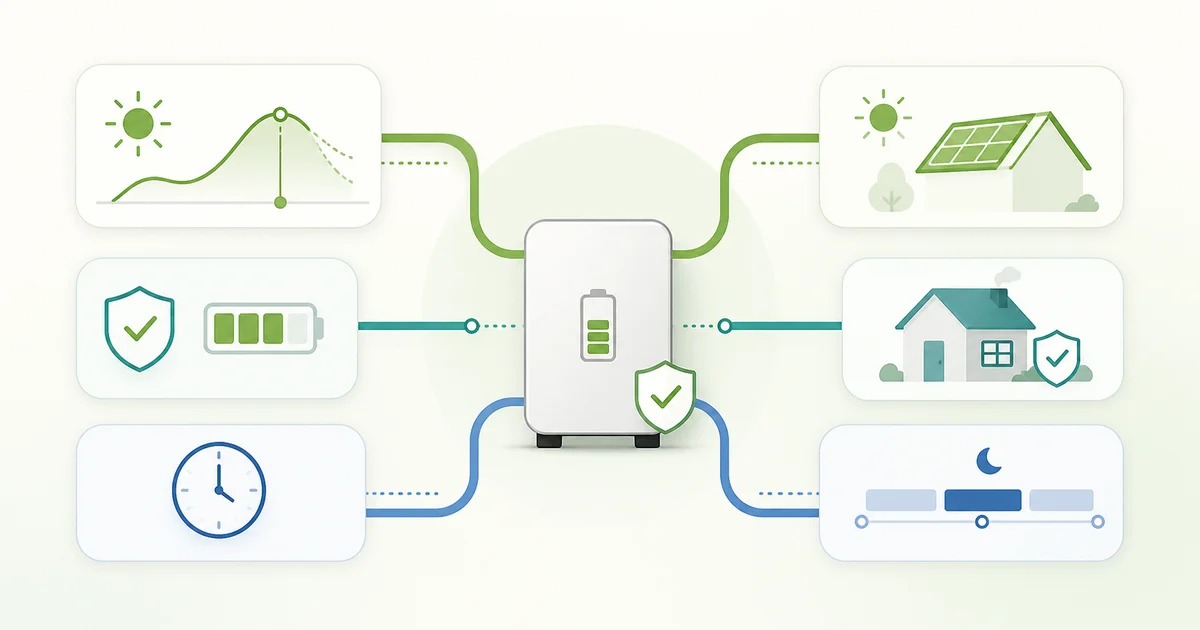
If you are looking at the Smart Controls inside 1app.energy, the useful question is not "which mode sounds most advanced?" It is "what do I actually want the battery to do for my home?"
One home wants calmer battery behaviour and lower grid dependence. Another wants one adaptive setting that can balance tariff value, solar forecast, EV charging, and reserve. Another wants a simple cheap-window charge schedule with a battery target they choose directly.
Those are different goals, so they should not all run the same control logic.
One important framing point first: the Smart Control choice sits underneath the daytime EV-battery protection workflow. If your setup qualifies for Octopus smart-charging battery protection, that still comes first. The mode choice mostly affects what the battery does outside those conflict windows.
If you want the product pages for each mode, start here:
The quick version: 1app.energy Smart Control modes
- Choose Autopilot if you want the best default for a mixed home and you do not want to babysit the battery.
- Choose Home First if your priority is using your own solar and battery to cover the home, with no optimiser-led export.
- Choose Time-based Control if you want simple cheap-window charging to a target you choose directly.
Smart Control mode comparison
| Mode | Best for | Not ideal when |
|---|---|---|
| Autopilot | Mixed homes that want one balanced default | You want a strict no-export home-first policy |
| Home First | Home coverage and lower grid dependence | You want active import/export optimisation |
| Time-based Control | Simple cheap-window charging to a chosen target | You want the system to adapt export and reserve decisions automatically |
Autopilot: the balanced Smart Control default
Start here if you are not sure.
Autopilot is the most sensible default for a home where EV charging, solar, battery use, larger household loads and tariff signals all interact. It is trying to balance value against reserve and refill risk rather than committing too early to either a very cautious or very aggressive style.
Use it when:
- the home has several moving parts
- you want fewer manual changes
- you want one mode that can adapt as tariff conditions change
- you want the system to consider reserve before chasing tariff upside
Do not use it when:
- you want a pure home-first battery policy
- you do not want any optimiser-led export
- you only need a fixed cheap-window charging target
Read the full page: Autopilot
Home First: solar battery control for calmer home coverage
This is the calmer, home-first option.
If your instinct is "I want my solar and battery to cover the house well, and I do not want the optimiser exporting just because a headline rate looks attractive," this is the cleaner fit.
Use it when:
- evening home coverage matters more than export upside
- you want lower grid dependence
- you prefer easier-to-understand battery behaviour
- you want tariff-aware charging only when the home genuinely needs extra battery for the next expensive period
Do not use it when:
- you want active import/export arbitrage
- you are trying to maximise revenue from volatility
- you want the system to opportunistically export whenever margins appear
Read the full page: Home First
Time-based Control: simple cheap-window battery charging
This is the simple target-based option.
Time-based Control is for homes that mainly want the battery to charge during cheaper tariff periods until it reaches a level they choose. It is closer to a clear tariff-window scheduler than an adaptive optimiser.
Use it when:
- you are on a predictable cheap window such as Octopus Go
- you want to choose the battery target directly
- you do not want optimiser-led export
- you prefer a simpler control style while still keeping reserve protection
Do not use it when:
- you want the system to decide automatically when exporting is worthwhile
- you want the battery to optimise across changing Agile-style prices
- you expect the mode to solve every whole-home tradeoff automatically
Read the full page: Time-based Control
Which battery control mode should you start with?
The safest practical rule is:
- Start with Autopilot if you want the best general default.
- Switch to Home First if you care most about home coverage and lower grid dependence.
- Use Time-based Control when you want a simpler cheap-window charging target instead of adaptive value decisions.
On Octopus Agile, Autopilot is the only battery mode. Agile prices change every half-hour, so Home First and Time-based, which need a fixed cheap window, are not offered.
That sequence usually keeps people out of the most common mistake: choosing an aggressive battery strategy before they are clear on whether the battery is really there for tariff upside, reserve, or home coverage.
How Smart Control fits with Octopus and EV charging
The control mode is not the only thing that matters. A home on Intelligent Octopus Go may also need protection during smart EV charging sessions, because the battery can otherwise discharge into the car. We explain that failure mode in why Octopus can drain your home battery when it charges the EV.
For tariff choice, start with Octopus Go vs Intelligent Octopus Go for battery homes. For battery settings, battery reserve floor checks are a useful companion before you make the mode more aggressive.
Common questions about 1app.energy Smart Control modes
Which 1app.energy Smart Control mode is best for most homes?
Autopilot is the best starting point for many mixed solar, battery, EV and tariff homes because it balances value against reserve and refill risk. It still depends on supported hardware and customer-enabled controls.
Should I use Home First if I do not want battery export?
Yes. Home First is the clearer fit when the priority is covering the home and avoiding optimiser-led export. It is less aggressive than a value-maximising strategy.
Is Time-based Control the same as an inverter schedule?
It is closest to a simple tariff-window schedule, but it sits inside 1app.energy so it can work alongside the wider device and tariff context where supported.
Can I change Smart Control mode later?
Yes. You can start with the conservative fit and change later if your tariff, EV routine, battery size or comfort with export behaviour changes.
Does Smart Control work with every inverter?
No. Control depends on supported devices, verified credentials and customer-enabled settings. 1app.energy should show and control only what the home can safely support.
Related reading for smart battery controls
Final thought on 1app.energy Smart Control modes
The best mode is not the most advanced-sounding one. It is the one that matches what the battery is meant to do for the home.
If you want the full reference view, go back to the Smart Controls overview, or visit 1app.energy/signup to start early-access onboarding.
Relevant smart controls
These mode pages are the closest product-side follow-on from the issue explained in this article.
Autopilot
The best starting mode for most homes. Autopilot charges when power is cheap, keeps battery back for the home, and can export spare battery power when prices are high.
Home First
A simpler home-first mode. It runs the home from your own solar and battery first and avoids automatic battery export.
Time-based Control
A simple schedule-based mode. Time-based Control charges the battery during your cheaper tariff periods until it reaches the battery target you set.
Does this sound like your home?
Your setup might already qualify.
Choose your inverter to start. Supported homes create an account straight away; other setups join the compatibility list.