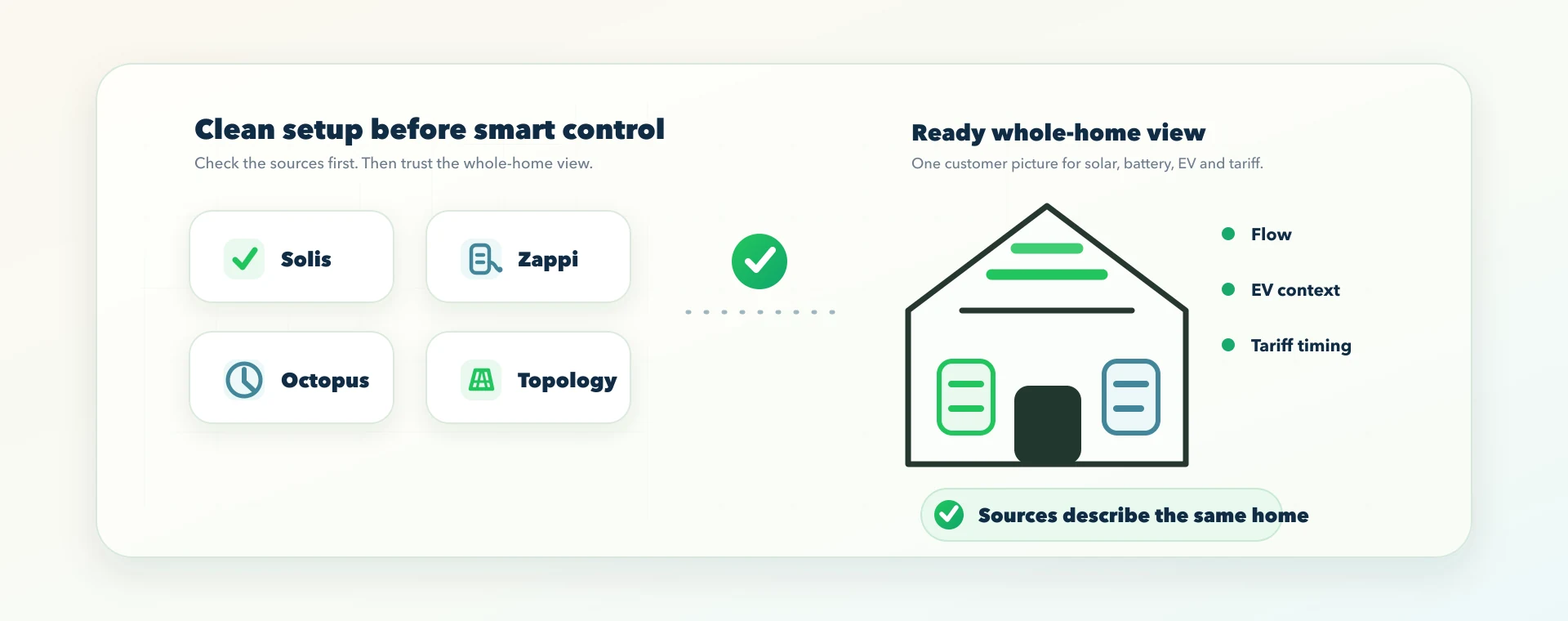
Solis, Zappi and Octopus setup checklist for a clean 1app.energy home
A practical Solis, Zappi and Octopus setup checklist for cleaner battery, EV, tariff and whole-home energy data in 1app.energy.
Most solar battery homes do not fail because one device is useless.
They become confusing because each device tells only part of the story.
A Solis hybrid inverter can report solar, battery, grid and inverter behaviour. A Zappi charger can show EV charging and, depending on the installation, CT readings around the property. Octopus can provide tariff and meter context where the account and tariff support it.
Those are useful sources. But they are not the same thing as one clean whole-home picture.
If the wrong Solis plant is selected, the Zappi CTs are unclear, the Octopus account belongs to another property, or the home topology is guessed instead of verified, the customer can end up with a dashboard that looks polished but answers the wrong question.
This guide is for homeowners and installers preparing a supported Solis, Zappi and Octopus home for 1app.energy. It explains what to gather, what to check, and how to spot the common setup mistakes before they turn into confusing battery, EV or tariff behaviour.
It is not a promise that every installation will qualify for every control feature. 1app.energy can show and coordinate supported homes where the devices, tariff data, telemetry and customer settings allow it. Battery or charger control should only be enabled where the connection is verified and the customer has chosen that behaviour.
The quick version
Before connecting the home, make sure you have:
- a working SolisCloud account for the correct inverter plant;
- access to sign in with SolisCloud from 1app.energy, or API-key details only if you are using the manual fallback;
- the myenergi account that owns the Zappi and the correct gateway or device details;
- the Octopus account number and API key for the correct property;
- a simple topology note for the home: solar, battery, EV charger, grid meter, CT clamps and any unusual wiring;
- one recent normal day of operation to use as the first sanity check.
The most important point is this:
Do not treat a sign-in or API key as the setup. It only opens the door. The real setup is proving that each data source describes the same physical home.
Why this is more than a connection checklist
It is tempting to think the job is finished once SolisCloud, myenergi and Octopus have been connected.
That is only the beginning.
1app.energy has to understand which source owns which part of the picture:
| Source | What it is useful for | What can go wrong |
|---|---|---|
| SolisCloud | Inverter, battery, PV and grid behaviour where exposed by the Solis installation | Wrong plant selected, API access not activated, data delayed, inverter-only solar mistaken for site-total solar |
| Zappi / myenergi | EV charging status, EV load and CT readings where configured | Wrong gateway, charger linked to another home, CT roles unclear, EV load mixed into normal home usage |
| Octopus | Tariff, import/export rates, meter context and smart slots where supported | Wrong account, old property, missing export tariff, tariff not synced, Intelligent Go context incomplete |
| Home topology | The map that tells the app what the home actually has | No-solar homes shown as solar homes, external solar double-counted, battery treated as controllable too early |
The useful customer experience comes from those sources agreeing enough to build one coherent view.
That is why a clean setup matters. It protects the dashboard, the Nexus power-flow view, daily summaries, tariff interpretation and any supported smart control.
1. Start with the home topology
Topology is the plain-English map of the home.
Before connecting anything, write down the answers to these questions:
- Is there solar at the property?
- Is the solar connected through the Solis hybrid inverter, through another inverter, or both?
- Is there a home battery?
- Is the battery controlled through the Solis inverter?
- Is there a Zappi charger?
- Does the Zappi have CT clamps for grid, solar, battery or another circuit?
- Is the property single-phase or three-phase?
- Does the Octopus account match this exact property and meter?
This matters because a good energy app should not invent equipment.
A home with no solar should not show solar percentages just because a default field exists. A home without a verified EV charger should not show EV charging rows. A battery should not be presented as controllable until the connection and control path are actually safe for that installation.
Topology is also what stops double counting. For example, if a Solis hybrid inverter reports PV and a Zappi CT also measures an external solar branch, those values need to be treated as separate contributors to site-total solar. If the app treats one source as a duplicate of the other, the customer may see the wrong generation figure.
The simple rule is:
First prove what exists in the home. Then connect the accounts. Then trust the numbers.
2. Connect SolisCloud first
For a Solis hybrid inverter home, SolisCloud is usually the best place to start because it can explain the core battery and inverter behaviour.
For new 1app.energy connections, start with SolisCloud sign-in in Settings → Devices. That lets supported homes connect by approving access with the SolisCloud account that owns the plant.
The API-key route remains available as a manual fallback for existing homes or support-led setup, but it should not be the first path for most new customers. The detailed walkthrough covers both routes:
Connect SolisCloud to 1app.energy in about a minute
After connecting SolisCloud, check the first values carefully.
| First check | What you are looking for |
|---|---|
| Battery state of charge | Does the percentage look believable compared with SolisCloud? |
| Battery direction | Is the battery charging when it says charging and discharging when it says discharging? |
| Grid import/export | Does import/export direction make sense for the home at that moment? |
| Solar generation | Does solar only appear when the home has verified solar and daylight production? |
| Home load | Does the home load look broadly believable for what the property was doing? |
This is where a small mistake can spread.
If grid import and export are reversed, the app can misunderstand whether the home is buying from or selling to the grid. If solar topology is wrong, daily solar generation may look too high, too low or present on a home that should not show solar at all.
For a customer, the symptom is simple: the diagram does not feel like the house.
The fix is not to hide the problem with nicer graphics. The fix is to verify the source and topology before trusting the flow.
3. Add Octopus tariff context
Tariff data turns energy flow into timing decisions.
Without tariff context, a battery dashboard can tell you what happened. With tariff context, it can start to explain whether the timing made sense.
For Octopus customers, the API key and account number can help 1app.energy understand tariff and meter information where available. That can include import rates, export context, half-hourly meter information and, for supported smart-tariff setups, extra charging context.
Use the customer account for the correct property. This sounds obvious, but it is a common real-world issue when one person manages more than one property, has moved supplier accounts, or has an old email still linked to Octopus.
The guide is here:
How to get your Octopus Energy API key and account number
After Octopus is connected, check:
- the account number matches the property;
- the import tariff shown in 1app.energy matches the customer tariff;
- export rates are present only where Octopus returns usable export information or the customer enters it manually;
- smart-charging context is treated separately from a basic API key where required;
- missing rates remain pending or manual, rather than being filled with someone else's example tariff.
That last point is important for a multi-user SaaS product.
If the tariff is unknown, the correct answer is not to invent a peak rate, off-peak window or export rate. The correct answer is to leave it blank, pending or manually configured until the customer or provider supplies the real value.
4. Add the Zappi as EV context, not just another load
The Zappi is important because EV charging can change the whole behaviour of a battery home.
An EV session is not just a background appliance. It can be one of the largest loads in the house. If the battery does not know what is happening, it may discharge into the car at the wrong time, especially during daytime charging or supplier-controlled smart slots. (Octopus Intelligent Go: what really happens to your home battery goes deeper into that specific conflict.)
For Zappi homes, 1app.energy can use supported myenergi data to understand EV charging context and, where available, charger status.
Use this guide if you need the myenergi API details:
How to get your myenergi API key for your Zappi charger
After connecting Zappi, check:
- the charger belongs to this property;
- live charger state broadly matches the myenergi app;
- EV charging appears only when the charger or car is actually drawing power;
- the Zappi CT roles are understood if CT data is being used;
- charger actions stay disabled unless the backend confirms the device is connected and the feature is supported.
This is a useful distinction:
A saved credential is not the same as a verified connected device.
The app should not claim a Zappi is live just because someone typed an API key. It should verify the connection and then use the data in the right place.
5. Use one normal day as your first sanity check
The first useful test is not a perfect optimisation day. It is a normal day.
Pick a day when the home behaved in a typical way. Ideally, the system had daylight solar, normal household use, some battery movement and, if relevant, a real EV session.
Then ask:
- Did solar appear during daylight and disappear at night?
- Did the battery charge when solar or cheap-rate import was available?
- Did the battery discharge at believable times?
- Did EV charging appear at the same time as the real charging session?
- Did grid import rise when the home had a large load or low battery?
- Did export appear only when generation or discharge exceeded demand?
- Did the tariff view match the account and rates you expected?
This is also where the whole-home balance matters.
In plain English, home usage is built from the energy entering the home, less the energy leaving or being stored elsewhere:
home usage = solar + grid import + battery discharge - grid export - battery charge - EV charging
You do not need to calculate that yourself. But the idea helps explain why source quality matters. If one part of the chain is missing, reversed or stale, the home-load view can become confusing.
For a customer, the aim is not to audit every watt. The aim is to catch obvious mismatches before the dashboard is used for decisions.
Common setup mistakes that create confusing results
| Symptom | Likely setup issue | What to check |
|---|---|---|
| Solar appears on a no-solar home | Solar topology was guessed or defaulted | Confirm whether the home really has solar and which source measures it |
| Battery drains during EV charging | Battery sees the EV as normal home demand | Connect charger/tariff context and use supported control only where verified |
| Grid import/export looks backwards | Meter or inverter sign convention is wrong for the source | Compare against SolisCloud, myenergi and the supplier meter view |
| Tariff costs look wrong | Wrong Octopus account, missing export rate or manual tariff not set | Check account number, active tariff and manual rate fields |
| EV sessions do not appear | Wrong Zappi, missing myenergi gateway or car not actually drawing power | Confirm the charger in myenergi and the live charger state |
| Dashboard looks strange on day one | Partial commissioning day or delayed vendor sync | Re-check after one normal full day of operation |
| Control buttons are unavailable | Device is visible but not verified for control | Treat visibility and control as separate stages |
These are not cosmetic issues. They affect customer trust.
If a dashboard is wrong, the customer does not blame the data model. They simply stop trusting the app.
What installers should hand over
For installers, the best handover is not just "here are the apps".
For a Solis, Zappi and Octopus home, a useful handover should include:
- which SolisCloud plant belongs to the property;
- whether the customer can sign in with the SolisCloud account that owns the plant;
- whether SolisCloud API Management is activated if API-key fallback is needed;
- whether the battery is connected through the Solis hybrid inverter;
- whether the solar is hybrid, external, or both;
- which myenergi account owns the Zappi;
- what the Zappi CT clamps are measuring;
- which Octopus account and meter belong to the property;
- whether the customer is on a fixed, time-of-use, export or smart EV tariff;
- whether any automation should be left off until the customer has reviewed the first dashboard day.
This is where 1app.energy can help the installer story.
The installer is not selling another complicated app. They are giving the customer one clearer place to understand the system after handover: solar, battery, EV and tariff behaviour together.
What 1app.energy does after the setup is clean
Once supported sources are connected and verified, 1app.energy can build a cleaner customer view of the home.
That can include:
- live whole-home energy flow;
- Solis battery state and inverter context;
- Zappi EV charging context where supported;
- Octopus tariff and meter context where available;
- manual tariff setup for non-Octopus or unsupported tariff cases;
- daily summaries for energy, cost and behaviour;
- tariff-aware battery behaviour where the installation supports control and the customer enables it.
The important point is that 1app.energy is not trying to replace the installer, the inverter, the charger or the supplier.
It sits above supported sources and helps the customer understand how the home behaves as one system.
What not to expect on day one
A clean setup does not mean every feature is instantly available.
Some homes may be telemetry-first. Some may have tariff visibility but not control. Some may have a Zappi connection for EV context but still need the customer to confirm lock settings or charger behaviour before remote actions make sense.
That is normal.
The safer sequence is:
- Connect the correct sources.
- Verify the first dashboard values.
- Confirm topology.
- Review one normal day.
- Enable supported smart control only where it fits the installation. (For homeowners deciding which behaviour to run, see which 1app smart control mode should you use.)
That is better than rushing into automation with uncertain inputs.
Common questions
Do I need Solis, Zappi and Octopus to use 1app.energy?
No. The exact value depends on the supported devices and tariff setup in the home. A Solis battery home can still benefit from a clearer customer view and manual tariff setup where applicable. Zappi and Octopus add useful EV and tariff context when they are present and connected.
Is the SolisCloud app enough on its own?
SolisCloud is useful for inverter monitoring and commissioning context. The gap appears when the customer also has EV charging, smart tariffs, manual tariff periods, export rates and whole-home questions. 1app.energy is designed to bring those supported sources into one clearer customer view.
Why does Zappi matter if Solis already shows home load?
Because EV charging can dominate the home load. Without charger context, a battery may treat an EV session like any other household demand. That is one reason customers see the battery drain into the car during the day or during smart charging sessions.
What if I am not on Octopus?
Octopus is useful because tariff data can be synced where supported. But 1app.energy also supports manual tariff setup, so customers on other tariffs can enter import rates, export rates and off-peak periods where applicable.
Should smart control be enabled straight away?
Not always. The best first step is to confirm that the dashboard describes the real home. Once the devices, tariff and topology are verified, supported smart control can be enabled where the customer wants it and the installation allows it.
Why does one normal day matter?
A half-finished commissioning day can make a good system look wrong. One normal day gives the app and the customer a cleaner baseline: daylight solar, household use, battery movement, grid import/export and EV charging if relevant.
Final thought
A Solis, Zappi and Octopus home can be a strong renewable setup.
But the customer experience depends on whether the software understands the home as one system.
The right question is not only:
Have I connected the right accounts?
The better question is:
Do Solis, Zappi, Octopus and the home topology describe the same real property?
If the answer is yes, the customer gets a much clearer starting point for live energy flow, battery behaviour, EV charging and tariff timing.
Visit 1app.energy to start early-access onboarding.
Does this sound like your home?
Your setup might already qualify.
Tell us which devices and tariff you are on. We review every request and invite in order of fit — not sign-up date.