Manual tariff setup for solar battery and EV homes
How UK solar battery and EV homes should set manual import periods, export rate and standing charge before trusting cost views or Smart Control.
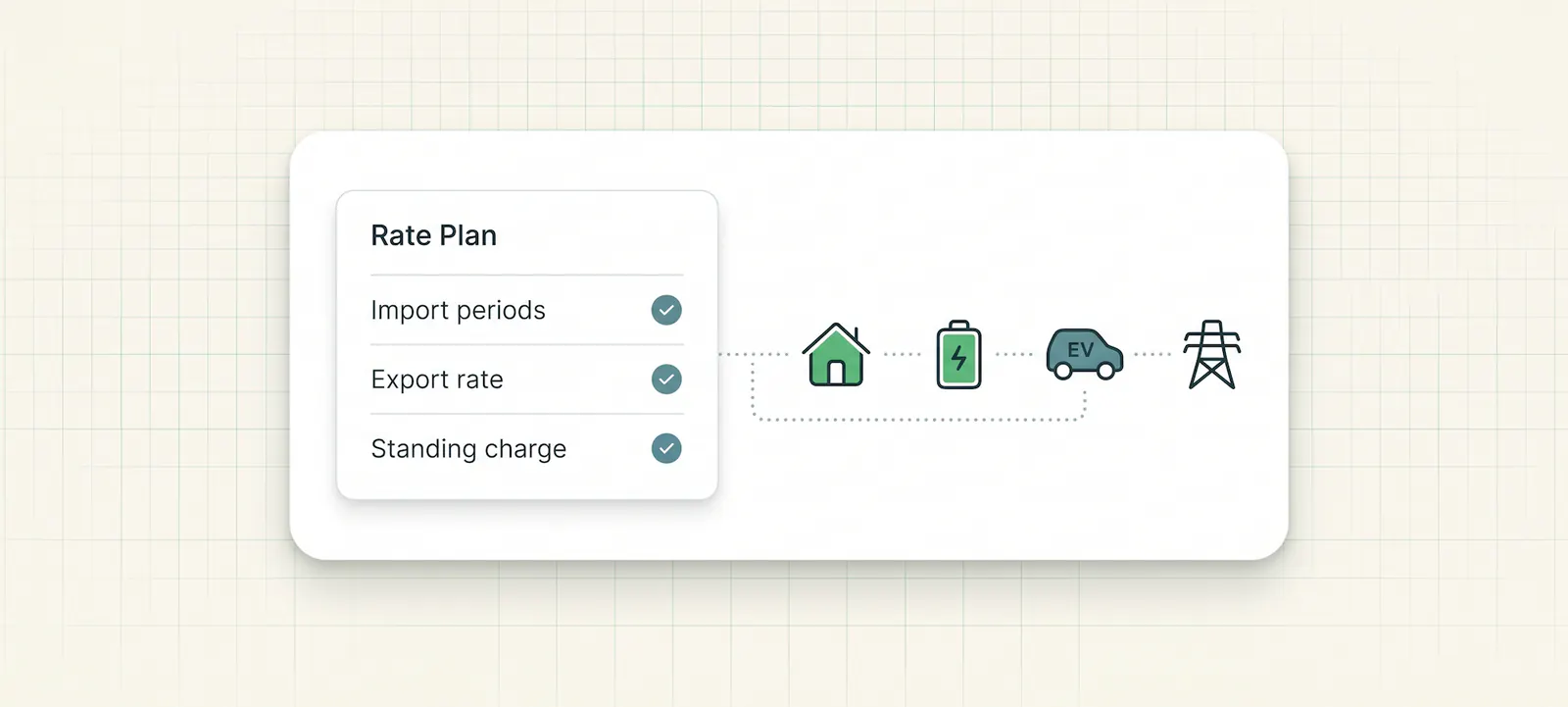
Manual tariff setup sounds like admin. For a solar battery and EV home, it is much more important than that.
If the tariff is wrong, the whole home can be misunderstood. A cheap overnight battery charge may look expensive. A peak-rate import may be hidden inside a daily total. Export may look profitable when the customer has not entered a real export rate. An EV session may drain stored battery energy and still look normal if the app does not know the tariff window it happened in.
This guide is for UK homeowners using 1app.energy where tariff data is not fully supplied by a connected Octopus account, or where the customer wants to check the rates before relying on dashboard costs or supported Smart Control.
The practical goal:
Manual tariff setup should describe the customer's real electricity tariff. It should never be a copied example, a demo value, or another home's setup.
The quick version
Before trusting cost views or enabling supported tariff-aware behaviour, check five things:
- the import rate periods, including start time, end time, label and p/kWh rate;
- the export rate, if the home is paid for exported solar or battery energy;
- the standing charge, if the dashboard shows net daily cost;
- the installation timezone, because tariff windows are clock-time decisions;
- the home topology, so tariff decisions are applied to the right solar, battery, EV and grid picture.
Then review one normal day of data.
If the battery charged during the cheap period, the daily cost moved in the expected direction, EV charging appeared as a believable load, and export only appeared when the home really exported, the tariff setup is probably describing the home properly.
If those things do not line up, check the tariff setup before blaming the inverter, battery or charger.
Why manual tariff setup still matters
Octopus tariff sync is useful where it is supported. It can give the app better tariff context than a customer manually typing rates, especially for dynamic tariffs such as Agile where prices change by half-hour.
But not every customer is on Octopus.
Some homes are on fixed dual-rate tariffs. Some have a day/night import tariff. Some have multiple cheap windows. Some use a non-Octopus supplier but still have solar, a battery and an EV charger. Some have an export payment from a separate arrangement. Some are changing supplier and need the app to stay honest while the automatic tariff source is not connected.
That is where manual Rate Plan setup matters.
1app.energy should not assume one customer's tariff for another customer. A missing tariff should stay missing, zero or pending until the right installation supplies its own rates. That protects customers from polished but wrong cost figures.
This is the same source-of-truth principle described in home energy dashboard source of truth: what to check. The dashboard is only useful when the numbers belong to the right home, date, source and tariff.
What the Rate Plan actually needs
In 1app.energy, the Rate Plan page gives the app price context for the home.
For manual tariffs, the important fields are:
| Field | What it means | Why it matters |
|---|---|---|
| Import periods | The times and prices for peak, off-peak or other fixed import windows | Helps explain cost, cheap-window charging and time-based battery behaviour |
| Export rate | The p/kWh value the customer receives for exported energy | Helps show export credit and is required before export-aware control should be considered |
| Standing charge | The daily p/day electricity account charge | Keeps net daily cost closer to the bill, even on low-import days |
| Timezone | The clock used for the installation | Prevents a correct tariff window being applied at the wrong time |
| Solar setup and device context | How solar, battery, EV and grid data are measured | Prevents tariff decisions being applied to the wrong part of the home |
Those fields are not interchangeable.
Import rate says what the home pays to draw electricity from the grid. Export rate says what the home may receive when it sends energy out. Standing charge is a daily cost. The timezone decides when a rate applies. The device context decides whether the app can understand what was using or producing energy at that time.
The common mistake: copying a familiar tariff shape
Many customers know they have a cheap overnight window, so they enter something that looks close enough.
That is risky.
Two tariffs can both look like "cheap overnight", but still differ in:
- exact start and end time;
- whether the window crosses midnight;
- region-specific unit rate;
- standing charge;
- export arrangement;
- whether the cheap rate applies every day;
- whether EV charging has a separate smart slot or supplier-controlled schedule.
For a simple dashboard, a close guess may only make a chart slightly wrong.
For a solar battery and EV home, that close guess can change the story. The app may think the battery charged cheaply when it did not. It may treat a high-cost import period as normal. It may miss the reason the EV made the battery look weak.
Manual setup should therefore come from the customer's supplier account, tariff confirmation, bill or installer handover notes. It should not come from a screenshot, a neighbour, a forum post or a default example.
Fixed tariffs and dynamic tariffs are different problems
Manual setup works best when the tariff has fixed rate periods.
For example:
- a single off-peak window from late evening to early morning;
- a standard day rate plus a cheap night rate;
- a tariff with a few fixed cheaper periods;
- a known export p/kWh value.
Dynamic tariffs are different. Octopus Agile-style pricing changes by half-hour, so typing one fixed import rate misses the main point of the tariff. Where supported, dynamic import prices should come from the supplier tariff source rather than from a simple manual period.
That distinction matters for customer expectations.
If a customer is on Agile and wants the app to understand negative or unusually cheap periods, a fixed manual import window is not the right mental model. The app needs live tariff context where supported. We explain that separately in Solis inverter on Octopus Agile: how control works.
If a customer is on a fixed non-Octopus time-of-use tariff, manual periods can be a practical way to give 1app.energy the price context it needs.
Export rate is not a permission slip to export the battery
Export rate is important, but it should not be treated as the only battery-export decision.
If the home exports solar, the export rate helps the dashboard show export credit. If the customer wants supported battery export behaviour, a positive export rate is one of the required pieces of context.
But export still needs guardrails.
Before exporting stored battery energy, the app needs to consider:
- whether the battery has energy above the reserve floor;
- whether the home will need that energy later;
- whether the EV is about to charge;
- whether a cheap refill window exists before the next expensive period;
- whether inverter control is supported and verified;
- whether export limits and installer handover settings are understood.
This is why an export rate belongs inside a wider setup, not beside a standalone "sell battery" idea. A high export rate can be useful. It can also tempt the customer into selling energy they will buy back later.
For that deeper export decision, see home battery export checks before selling stored energy.
EV charging can make a correct tariff feel wrong
A tariff can be entered correctly and still lead to confusing behaviour if EV charging is missing from the picture.
Imagine a Solis battery home with:
- a fixed cheap import window from 23:30 to 05:30;
- a zappi charger;
- a home battery that can charge overnight where supported;
- a manual export rate;
- Smart Control enabled where the installation supports it.
The cheap overnight window may be the right time to charge the EV. It may also be the right time to top up the battery.
But the customer still needs to understand what happened.
Did the car use most of the cheap window? Did the battery reach its target? Did the home import outside the cheap period later? Did an EV session pull from the battery when the customer expected grid energy? Did the app include or exclude EV load from export logic?
Those questions cannot be answered from tariff alone.
Manual tariff setup gives the price context. Device context, CT mapping, battery reserve, control mode and live energy flow explain the rest. This is why zappi CT mapping for solar battery homes and why Octopus can drain a home battery during EV charging are closely related topics.
What Smart Control can infer from manual tariffs
Manual tariff data can help Smart Control, but it does not make every home controllable by itself.
In 1app.energy:
- Time-based Control can use cheaper tariff periods to charge a supported battery towards a chosen target.
- Autopilot can consider tariff structure, battery level, reserve planning and export settings where the installation supports the relevant controls.
- Home First is designed for calmer home coverage and lower grid dependence, not optimiser-led battery export.
The system still needs more than rates.
It needs a supported inverter control path. It needs the customer to enable the relevant behaviour. It needs the battery capacity and reserve floor to make sense. It needs grid charging permission where the inverter requires it. It needs export control to be available before export behaviour is offered.
If those pieces are incomplete, the honest state is incomplete, pending or unavailable.
That is not a weakness. It is the difference between useful automation and a risky toggle.
For a mode-by-mode explanation, read which 1app smart control mode should you use.
A practical setup example
Consider a UK customer with:
- a Solis hybrid inverter;
- solar panels and a home battery;
- a zappi EV charger;
- a fixed dual-rate tariff from a non-Octopus supplier;
- an export payment from a separate export arrangement.
The customer should collect the real values from their supplier account, bill or tariff confirmation.
| Item to enter | What to check |
|---|---|
| Off-peak import period | Exact start time, end time and whether it crosses midnight |
| Peak or standard import period | The p/kWh value for the customer's region and meter |
| Export rate | Whether export is active for this home, and the current p/kWh value |
| Standing charge | The daily electricity standing charge in p/day |
| Solar setup | Whether solar is measured by inverter data, zappi CTs or another supported source |
| EV context | Whether the charger is connected and whether EV load should affect export logic |
After saving the settings, the customer should watch one normal day.
The check is practical, not theoretical:
- Did the dashboard show cheap-rate import in the right window?
- Did daily cost include standing charge?
- Did export credit appear only when energy went out to the grid?
- Did the battery charge when expected?
- Did EV charging explain a large load?
- Did the Nexus flow and selected-day totals tell the same story?
If the answer is no, the next step is not to change random controls. It is to check the source: Rate Plan, device connections, CT mapping, battery reserve and selected smart-control mode.
The new customer setup guide follows the same first-day validation pattern.
Red flags when tariff setup is wrong
Manual tariffs should make the home easier to understand. If they create new confusion, check the setup before assuming the hardware is misbehaving.
| Red flag | Likely issue |
|---|---|
| Battery charges outside the cheap window | Import period, timezone or selected control mode may be wrong |
| Daily cost looks too low on a high-import day | Import rate or standing charge may be missing |
| Export looks profitable with no export agreement | Export rate may have been copied from an example |
| Smart Control says setup is incomplete | Required rate, reserve, permission or control field may be missing |
| EV charging appears as unexplained home load | Charger context or CT mapping may need review |
| Agile-style pricing is represented as one fixed value | Supplier tariff sync may be needed where supported |
| The same tariff looks different from the bill | Rate units, VAT, region or date validity may need checking |
None of these prove the installation is bad.
They are prompts to check whether the dashboard is using the right tariff source before the customer starts making decisions from it.
What installers should explain at handover
Installers and partner brands do not need to turn customers into tariff analysts.
They can prevent a lot of confusion by handing over the information that software needs:
- supplier name and tariff name;
- import rate periods and whether any window crosses midnight;
- export arrangement and current export rate, if known;
- standing charge if the customer wants net daily cost reporting;
- whether the EV charger has its own schedule;
- whether the battery is allowed to charge from grid;
- whether export control is enabled, supported or intentionally disabled;
- where the customer should verify tariff rates if the supplier changes them.
The best handover is not a screenshot of someone else's settings.
It is a short explanation of what the customer's own home is allowed to do, what is only visible, and what is supported for control.
How 1app.energy uses manual tariffs carefully
1app.energy is designed as a customer-facing software layer for renewable homes: one app for solar, battery, EV and tariff.
Where supported, customers can connect Solis inverter data, zappi EV context and Octopus tariff data. Customers on other tariffs can use manual tariff setup where applicable, so the dashboard and supported control logic have the right price context.
The careful part matters.
Manual tariff data can help the app explain cost, import windows, export context and supported battery behaviour. It should not be used to pretend that every device is connected, every control path is verified, or every tariff behaves like a live supplier integration.
The correct product behaviour is:
- show configured rates when they belong to the installation;
- keep missing values pending rather than inventing them;
- separate visibility from control;
- use live supplier data for dynamic pricing where supported;
- offer automation only where the backend verifies the installation and the customer enables it.
That is less flashy than promising universal optimisation, but it is the right foundation for customer trust.
Common questions about manual tariff setup
Do I need manual tariff setup if I use Octopus?
Sometimes no, sometimes partly.
Where Octopus tariff sync is connected and supported, live import pricing can come from Octopus. You may still need to review export rate and standing charge, and you should still confirm the detected tariff belongs to the correct account.
Can I use 1app.energy if I am not on Octopus?
Yes, where the current rollout supports your device setup.
Manual tariff settings can provide price context for non-Octopus tariffs. Automation still depends on the verified installation, supported controls and customer-enabled settings.
Should I enter an export rate if I never export battery energy?
If the home exports solar, the export rate can still help cost reporting. If battery export optimisation is not wanted or not supported, do not enable export behaviour just because an export rate exists.
What if my tariff changes?
Update Rate Plan when the supplier changes the tariff, rate windows, export arrangement or standing charge.
A stale tariff can make battery behaviour and daily cost reporting misleading even when the hardware data is correct.
Can manual tariff setup handle Agile-style prices?
Manual setup can describe fixed periods. Half-hourly dynamic tariffs are better handled by supplier data where supported.
A dynamic tariff entered as one fixed value loses the main point of the tariff.
Why does timezone matter?
Battery charging windows are clock-time decisions.
If the installation timezone is wrong, a correct off-peak period can be applied at the wrong time.
Should I copy rates from a screenshot or installer example?
No.
Use the customer's actual supplier account, bill, tariff confirmation or handover information. Example values are useful for training, but they should not become trusted customer data.
Final thought
Manual tariff setup is not busywork. It is one of the inputs that decides whether a renewable-home dashboard is describing the real economics of the home.
Get the import periods, export rate, standing charge, timezone and device context right before trusting cost figures or enabling supported Smart Control.
Visit 1app.energy/signup to check your inverter and start signup.
Does this sound like your home?
Your setup might already qualify.
Tell us which devices and tariff you are on. We review every request and invite in order of fit, not sign-up date.